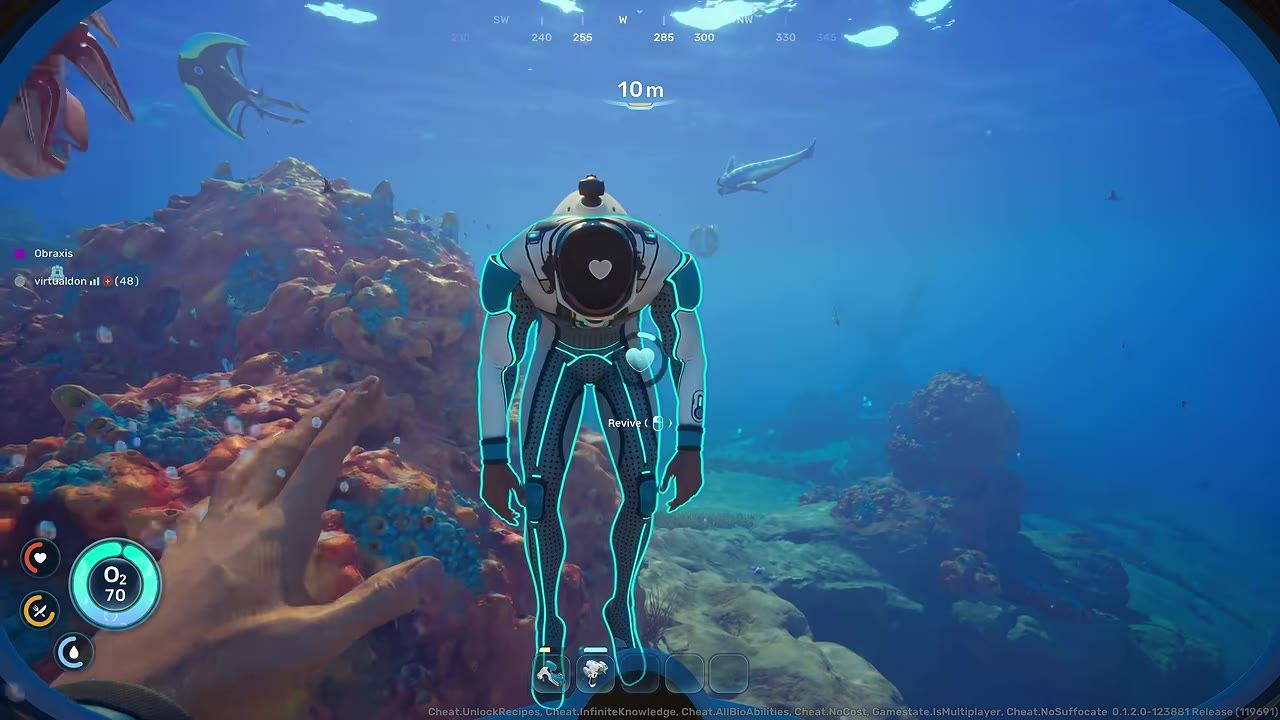
To use the Buddy System for proximity chat in Subnautica 2 multiplayer, enjoy immersive in-game voice communication based on your locations.
Co-op communication setup in Subnautica 2
Setting up proximity chat with the Buddy System enhances cooperative gameplay. Follow these steps to enable and configure the system:
steps
- Open the settings menu.
- Select your preferred mode of communication:
- Always On for continuous chatting with teammates.
- Push to Talk to control when your microphone is active.
- Always Off to disable voice chat completely.
- Ensure you are using headphones or speakers with adequate audio quality for immersive communication.
- Test the proximity chat function by engaging in conversation with your teammates in the game.
Buddy System explained
The Buddy System proximity chat is crafted to provide realistic in-game audio feedback based on player movement and position. As players get closer, their voices appear clean and uninterrupted. Moving further apart results in voices transitioning to a radio-like sound with increasing distortion and eventual cutoff at a specific range. The system also accounts for audio directionality, ensuring teammates' voices reflect their position relative to you, adding deeper immersion and situational awareness during gameplay.
Using emotes for communication
Emotes offer a quick way to communicate non-verbally in multiplayer sessions. Here’s how to use the emote system:
steps
- Access the radial emote menu while in the game.
- Choose from expressive gestures such as thumbs up, clap, or frustrated.
- Use emotes strategically alongside voice chat to increase communication efficiency.

The emote radial menu is open, displaying various hand gestures for communication. — Spyro ZA

A character stands in front of the player with emote icons displayed around them in a room. — Subnautica
Trading inventory in multiplayer
Exchanging inventory items with teammates is now straightforward using the Buddy System. Here's how it works:
steps
- Approach a teammate and interact with their character.
- Select and exchange inventory items directly, without needing to drop them on the ground.

A player character stands in an underwater base with an on-screen prompt to open another player’s inventory. — Subnautica
Reviving teammates in co-op play
Revival mechanics ensure better survival chances in dangerous underwater environments. Use the step-by-step guide below:
steps
- Locate the downed teammate and swim to their position.
- Interact with their character to initiate the revival process.
- The player will regain some oxygen and retain their equipment after being revived.
- If rescue is not possible, the player can choose to respawn via their Biobed instead.
Tracking and locating in multiplayer
The newly added Tracking Tag simplifies coordination and replaces the hassle of locating teammates or items in complex underwater terrain:
steps
- Place tracking tags on lockers or carryable items to mark specific locations.
- Use tracking tags for efficient navigation and group organization.
FAQ
how to use Subnautica 2 Buddy System for co-op chat
To use proximity chat, enable "Proximity Chat" and select between "always on," "push to talk," or "off." Voice communication will vary depending on player proximity and align with in-game location for immersive gameplay.
configuration guide for proximity chat in Subnautica 2
Select the preferred mode of proximity chat: "always on," "push to talk," or "off." Ensure your audio device provides clear sound for the best experience.
Sources
Screenshots on this page are frames from the videos below, used to illustrate the steps they describe. All rights remain with their creators.
- Subnautica 2 | Update Vlog: Early Access 1.2 - Buddy System — Subnautica, August 18, 2026
- Subnautica 2 EA 1.2 Buddy System Update Overview + Next Major Update Info — Spyro ZA, August 20, 2026
- SUBNAUTICA 2 : LA SUITE ARRIVE… (Nouveau biome, véhicule, histoire) — Crazy of the game, August 19, 2026
Checked against:
- Subnautica 2 Early Access 1.2 - Buddy System Update — virtualdon, 2026-08-19
- Update Vlog - Early Access 1.2 (Buddy System) — virtualdon, 2026-08-18
- Subnautica 2 Early Access Hotfix 4 — virtualdon, 2026-07-14