To fix multiplayer connection issues in Once Human, ensure that you and your friends are on the same server and world, complete the tutorial, and use teleportation towers to meet up. Create a Hive for full interaction with each other's bases.
Understanding Server and World Settings
Playing together in multiplayer requires careful coordination on server and world choices. Make sure all players join the same server with the exact server number and complete the tutorial after creating their characters. Completing the tutorial ensures everyone is set up for further interactions. Within the server, players must align worlds using teleportation towers to ensure visibility and playability.
prerequisites
- Ensure all players join the same server (e.g., Europe 52 or 53) before starting.
- Complete the tutorial after character creation.
- Use teleportation towers to align worlds for interaction.
Joining Friends in Multiplayer
The steps below will help players find and add friends in-game and form teams for coordinated gameplay.
steps
- Open the chat menu by pressing the 'Enter' key. Type and send a message.
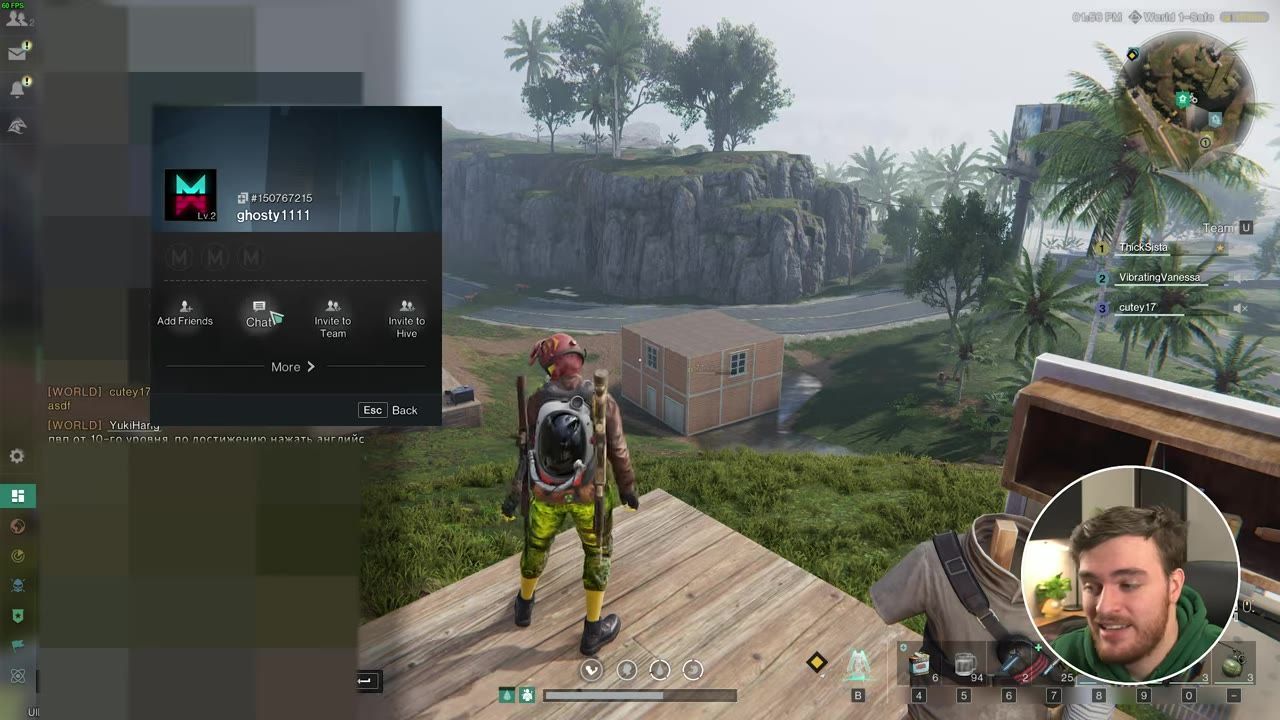
- Locate the message your friend sent in the chat interface under the 'General' tab. Right-click their name and select 'Add Friends.'
- Press 'U' to access the team management interface. From here, recruit players or join a team.
- Accept team invites by pressing 'Y' when prompted. This lets you see teammates on the map and interact during gameplay.
Working Together in Hives
Once your team is set up, creating a Hive allows full interaction with bases, storage, and other shared resources.
steps
- Open the game menu by pressing 'Escape' and navigate to the 'Get United' section.
- Choose to create a Hive. This will require one skill point, but only the leader needs to create it.
- Invite players to join the Hive using the available options in the Hive interface.
- Accept Hive requests to allow all members to interact with loot, storage, and other base assets.
Navigating Common Problems
Some multiplayer issues require manual intervention to resolve. Address mismatched worlds or restricted base interactions with these tips.

The map interface displays a teleportation tower and its information. — TroubleChute Basics
Sources
Screenshots on this page are frames from the videos below, used to illustrate the steps they describe. All rights remain with their creators.
- Play with Friends in Once Human | Teams, Party, Hive, Worlds & More! — TroubleChute Basics, July 14, 2024
Checked against:
- Version 3.0.4 Bug Fixes (August 26) — Once Human, 2026-08-26
- Version 3.0.4 Update Announcement (August 24) — Once Human, 2026-08-25
- The console version of Once Human is launching soon — see you in Nalcott! — Once Human, 2026-08-25