If your Project Zomboid server is stuck on loading, follow troubleshooting steps to resolve potential issues.
Verify Game Files and Update
To ensure your Project Zomboid installation is intact and up-to-date, follow these steps:
steps
- Open Steam and navigate to your library.
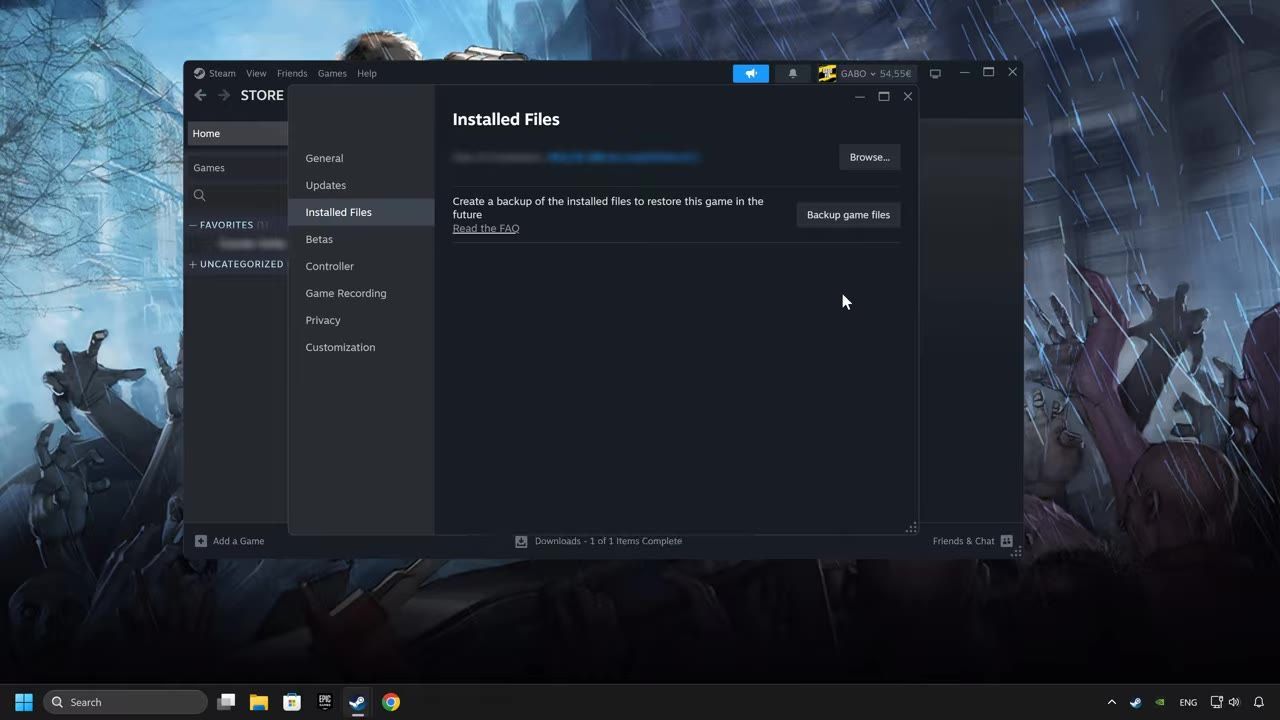
- Right-click on Project Zomboid and choose "Properties."
- Under the "Installed Files" section, click on "Verify integrity of game files."
- Wait for the verification process to complete.
- Check for available updates and apply them if needed.

Steam properties shows the Installed Files section with the 'Verify integrity of game files' button for game file verification. — GaboFIX
System and Software Updates
Your operating system and drivers can interfere with server performance. Ensure the following updates are completed:
prerequisites
- Update your graphics card driver using the device manager or directly from the manufacturer's website.
- Install the latest version of DirectX and any necessary software libraries.
- Check for Windows updates under Windows Update settings, then download and install them.

Windows Update settings displaying available options and status of updating. — GaboFIX
Advanced Debugging
If basic troubleshooting doesn't resolve the issue, try advanced debugging steps below:
Advanced Debugging Commands
sfc /scannow # Scan and repair corrupted system files
Command prompt on Windows displaying the 'sfc /scannow' command in progress. — GaboFIX
Additional measures:
- Sync your system's date/time and ensure "Set time automatically" is turned on.
- Disable proxy settings within your network configurations.
- Allow the game and server application through Windows Firewall.
Common Pitfalls and Errors
Certain issues are frequently responsible for stalled servers. Keep these in mind:

Windows Firewall settings showing allowed apps and network options configured for private and public access. — GaboFIX
FAQ
why is my Project Zomboid server stuck on loading
This issue may occur due to improper software configurations or system settings.
how to fix Project Zomboid server not starting
To fix it, try system and software updates, advanced debugging steps, and verifying system and network configurations.
Sources
Screenshots on this page are frames from the videos below, used to illustrate the steps they describe. All rights remain with their creators.
- How to FIX Project Zomboid Stuck on Loading Screen / Not Loading — GaboFIX, August 4, 2026
Checked against:
- 42.20.4 STABLE & 42.19.2 UNSTABLE & 41.78.21 LEGACY Hotfixes Released — AmazingSully, 2026-08-26
- 42.20.3 STABLE Hotfix Released — AmazingSully, 2026-08-17
- 42.20.2 STABLE Hotfix Released — AmazingSully, 2026-08-05